
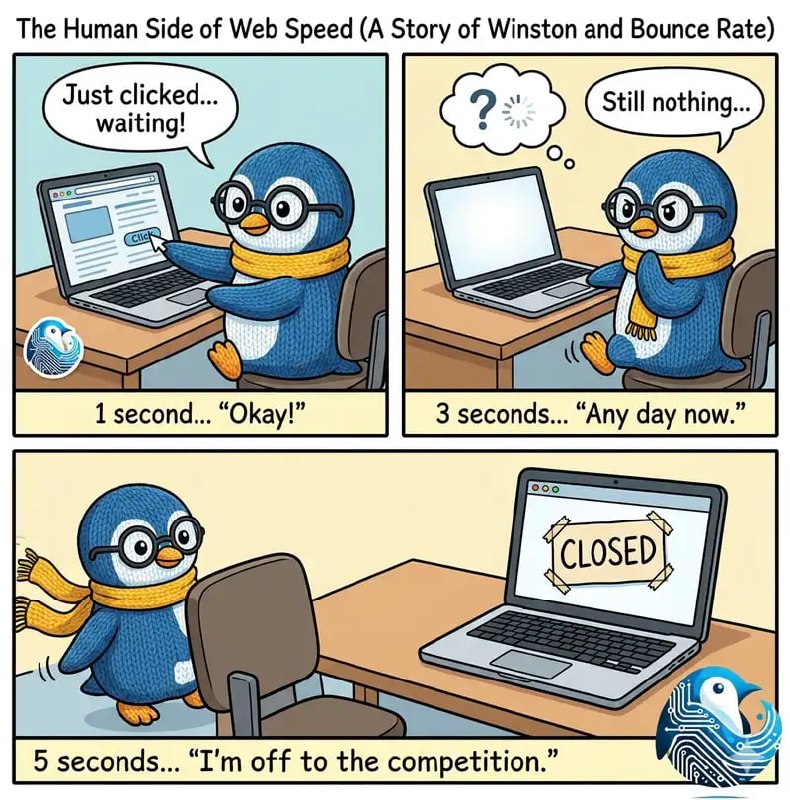
Every second your site takes to load, you're losing customers. It's not dramatic. It's maths. A visitor who waits 3 seconds is far less likely to buy, call, or fill out your form than one who waits 1.
We've audited dozens of sites across the UK where the owner thought everything was fine. Then we ran the numbers.
If your site takes more than 3 seconds to show something useful on a mobile phone, this post is for you.
The real cost of a slow site
Here is what the research actually says. No fluff, no inflated numbers from marketing blogs.
2× bounce rate at 3 seconds. Google's research: as load time goes from 1s to 3s, the probability of a visitor leaving jumps by 32%. At 5 seconds, it jumps by 90%.
7% fewer conversions per second. Each extra second costs roughly 7% of potential conversions. If your site brings in 50 enquiries a month, a 2-second delay could cost you 7 of them.
60% of local searches are mobile. Often on 3G or patchy 4G. A site that feels fine on office Wi-Fi can be unusable on a phone in a car park.
Google uses speed as a ranking factor. Since 2021, Core Web Vitals have been part of the search algorithm. A slow site doesn't just lose visitors — it loses visibility.
The frustrating part is that most of these problems are fixable. The owner just doesn't know where to look.
Why your website is slow: the usual suspects
When we audit slow sites, we see the same problems over and over.
1. Images that haven't been touched since upload
A 5MB JPEG straight from a camera or stock library will murder your load time. We see this constantly — hero banners at 3–4MB, team photos at 2MB each, gallery images with no compression at all. The fix is simple but rarely done: convert to WebP, resize to the exact dimensions you need, and add lazy loading for anything below the fold. One afternoon of image work can cut 2–3 seconds off your load time.
2. Cheap hosting on overloaded servers
That £3.99/month shared hosting plan? You're sharing a server with hundreds of other sites. When one of them gets busy, your site slows down. Worse, many budget hosts store data in the US, which adds 150–300ms of network delay before your page even starts loading. For a UK business serving UK customers, UK-based hosting on fast storage (NVMe, not old spinning drives) is the floor under everything else.
3. Bloated code and plugin overload
A typical WordPress site loads 15–30 plugins. Each one adds CSS and JavaScript to every page, even if it only does something on one page. A contact form plugin might load its scripts on your homepage. A slider plugin loads on your contact page. It stacks up. We've seen sites loading 800KB of JavaScript when they need less than 50KB. Page builders like Elementor and Divi are especially heavy — they generate enormous CSS files to support every possible layout option, most of which you're not using.
4. No caching or compression
Without caching, your server rebuilds the entire page from scratch every time someone visits. Without compression, you're sending full-size text files instead of zipped versions. Both are basic server settings that take minutes to enable and can cut load times by 30–50%. Most cheap hosting doesn't turn them on by default.
How to test your own site: a 5-minute walkthrough
You don't need to be technical. Here's exactly what to do.
-
Go to Google PageSpeed Insights. Enter your URL and click "Analyse."
-
Look at the mobile score first. Desktop scores are almost always higher and less relevant. Most of your visitors are on phones.
-
Check the three Core Web Vitals numbers:
- LCP (Largest Contentful Paint): how long until the biggest visible element loads. Under 2.5 seconds is good. Under 4 seconds needs work. Over 4 seconds is poor.
- INP (Interaction to Next Paint): how responsive your site feels when someone clicks or taps. Under 200ms is good. Over 500ms feels laggy.
- CLS (Cumulative Layout Shift): how much the page jumps around as it loads. Under 0.1 is good. Over 0.25 is annoying — buttons move just as people try to click them.
-
Scroll down to "Diagnostics" and "Opportunities." Google lists the specific problems and estimates how much time each fix would save. Look for "Properly size images," "Eliminate render-blocking resources," and "Reduce unused JavaScript."
-
Run the test 3 times and average the results. Scores vary. One bad score might be a blip. Three bad scores mean you have a real problem.
If your mobile score is under 50, or your LCP is over 4 seconds, your site is slower than 70% of the web. That's not a badge of honour.
What "good" looks like: Core Web Vitals in plain English
Google's Core Web Vitals sound technical, but they measure simple things: does your site show up quickly, does it respond when clicked, and does it stay still while loading?
- LCP under 2.5 seconds: your main image or headline appears fast enough that visitors don't wonder if the page is broken.
- INP under 200 milliseconds: when someone taps a button or link, something happens immediately. No delay.
- CLS under 0.1: the page doesn't jump around. Text stays where it was. Buttons don't move under people's thumbs.
Our builds consistently hit these targets. Not because we're doing anything clever — because we're not doing the things that break them.
When to fix your current site vs when to rebuild
This is the question most business owners actually want answered. Here's the straight version.
Fix it if: your PageSpeed score is 50–70 and the problems are specific (oversized images, a few heavy plugins, missing caching). Your site is less than 3 years old and the design still works. You're not spending a fortune on maintenance.
Rebuild it if: your score is under 40 and the problems are structural (bloated page builder, 20+ plugins). You're spending £1,500+ per year on maintenance for a site that keeps getting slower. The design is outdated, not mobile-first, or you've hit a ceiling on the current platform.
Not sure which camp you're in? Our free site audit will tell you in plain language. No jargon, no obligation.
Quick answers
How do I know if my website is too slow?
Run your URL through Google PageSpeed Insights. If your mobile score is under 50, or your LCP is over 4 seconds, your site is slower than most visitors will tolerate. Test on a phone with mobile data, not your office Wi-Fi.
What is a good website load time?
Google says LCP should load within 2.5 seconds. Under 3 seconds is acceptable. Over 4 seconds and you're losing visitors. Our builds typically hit LCP under 1.5 seconds.
Does my hosting affect my website speed?
Yes. Cheap shared hosting with overseas servers can add 300–600ms before your page even starts loading. UK-based hosting on NVMe storage typically delivers Time to First Byte under 200ms. Server location matters.
Can I fix a slow website without rebuilding it?
Sometimes. Image optimisation, removing unused plugins, enabling caching, and upgrading hosting can make a big difference. But if the underlying code is bloated — especially from a heavy page builder — those fixes have a ceiling. Our free audit tells you which route makes sense.
How much does a slow website cost my business?
A 1-second delay can reduce conversions by 7%. For a site getting 1,000 visitors per month with a 2% conversion rate, that could mean losing dozens of enquiries per year. Multiply by your average customer value and the number gets real quickly.