
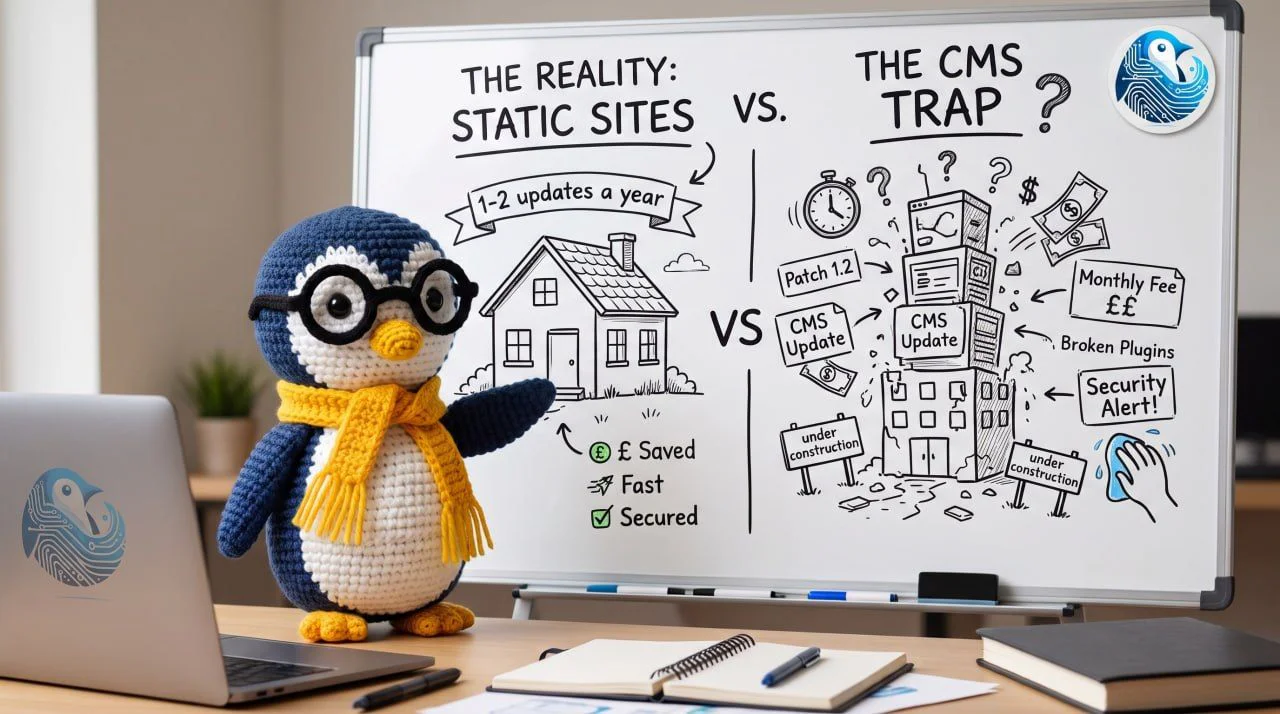
When people hear "static site", the first question is almost always the same: but how do I edit it?
It's a fair question, and I'll answer it directly. But it skips the more important one: what is a CMS actually doing on your website, and what is it costing you?
The security difference is structural
A static site is a folder of files. HTML, CSS, JavaScript, images. The server reads a file and sends it. There is no software running behind the scenes, no database, no admin panel, no login screen.
Now think about how a CMS site works. There is a login page, open to the internet, waiting for someone to try passwords against it. There is a database full of your content and, often, customer data. There are plugins, code written by other people, updated on their schedule, any one of which can contain a hole.
Every one of those is a door. Every door has to be locked, watched and patched, forever.
A static site has one door: the hosting account. There is nothing to log into on the site itself, no database to steal, no plugin to exploit. If someone wants to attack a static site, they have to get through your hosting provider, which is a different problem with its own protections.
That is not a trick or a clever hack. It is what happens when there is less stuff.
Every plugin on your site is a door you didn't build, maintained by someone you don't know, on a schedule you don't control.
Cheaper to own, not cheaper to build
On cost, the confusion is between building and owning. The build price of a static site and a CMS site is broadly the same. Design, copy, layout, the work of getting it right. None of that changes.
What changes is what you pay after launch.
A CMS site has a meter running. Plugin licences. Hosting that has to be powerful enough to run the software and the database. Someone to install the security updates, and someone to fix it when an update breaks something. Year after year, the site quietly bills you for the privilege of existing.
A static site costs hosting. That is about it. It runs on the cheapest hosting you can buy because there is nothing for the server to do except send files. No licences, no update cycle, no emergency call-out when a plugin update takes the site down.
Over five years the difference is not small. And the static site has done the same job the whole time.
You give up editing through a browser. You gain a lower running cost, no security patching, and a site that works the same way in five years as it did on day one. Most small businesses edit their site a handful of times a year, and each change is small. Weigh that against a permanent cost and a permanent security surface.
So how do you edit it?
Back to the first question. If it's a static site, how do you edit it?
Honestly: you don't, not through a browser. You ask us, and we change it.
For a lot of business owners that sounds like giving something up, and I understand why. But be honest about how often you actually edit your website. For most small businesses it is a few times a year, and each change is small: a price, a phone number, a new team member, a line about a new service.
You are weighing a real, recurring cost and a permanent security surface against editing rights you will use a handful of times a year. Put it in those terms and the trade looks different.
And if you genuinely need to update content every day, a static site is probably not the right call, and we will tell you that. This is not a religion. It is a decision based on what your business actually needs.
When static is right, and when it isn't
A static site is the right tool when your website is there to tell people who you are, what you do, and how to reach you, and that story changes occasionally, not constantly.
It is the wrong tool when you need a login, a database, a booking system, or a team publishing new content every day. That is a web application, not a website, and we build those too. We just don't pretend a static site should do that job.
Quick answers
Is a static site less secure than a CMS?
No. It's the opposite. Fewer moving parts means fewer doors, and most small business hacks come through a plugin or a forgotten admin login that a static site simply doesn't have.
Is it cheaper?
Cheaper to own, not necessarily cheaper to build. The savings are in hosting, licences, maintenance and emergency fixes over the years after launch.
How do I update it?
Ask us, and we make the change. For a small site that edits a few times a year, this is quick and low cost.
Will it hurt my Google ranking?
No. A static site is usually faster than a CMS site, and Google rewards speed. A faster site typically ranks better, not worse.
The short version
A static site is not a downgrade dressed up as a philosophy. It's a decision: fewer moving parts, fewer doors, lower running costs, and the honest tradeoff of editing through us rather than through a browser.
For most small businesses, that's the better deal. If you're not sure whether it's right for you, ask us. We'll tell you straight, either way.